Simulator
Social Ads (Meta-style)
Have your students build Meta campaigns for practice, using the real settings: no budget, no ad account, no risk. They work in the ad manager, and you review the simulated results with them.
In pictures
What your students work with
Screenshots of the simulator, with fictional data.
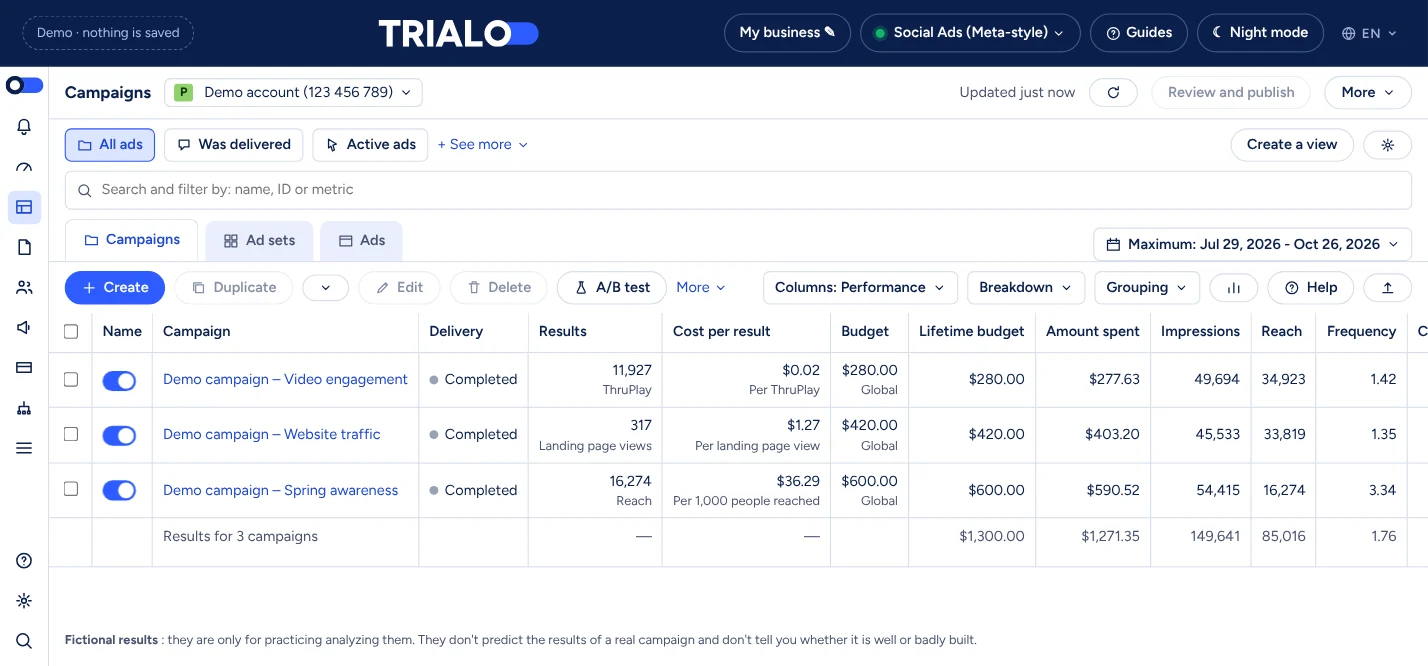
An ad manager with simulated results
Campaigns, ad sets and ads in a single table, with simulated spend, reach, frequency, CPM, clicks, CTR and CPC.
Teaching valueYour students learn to read the metrics, compare them and suggest optimizations, with no real figures at stake.
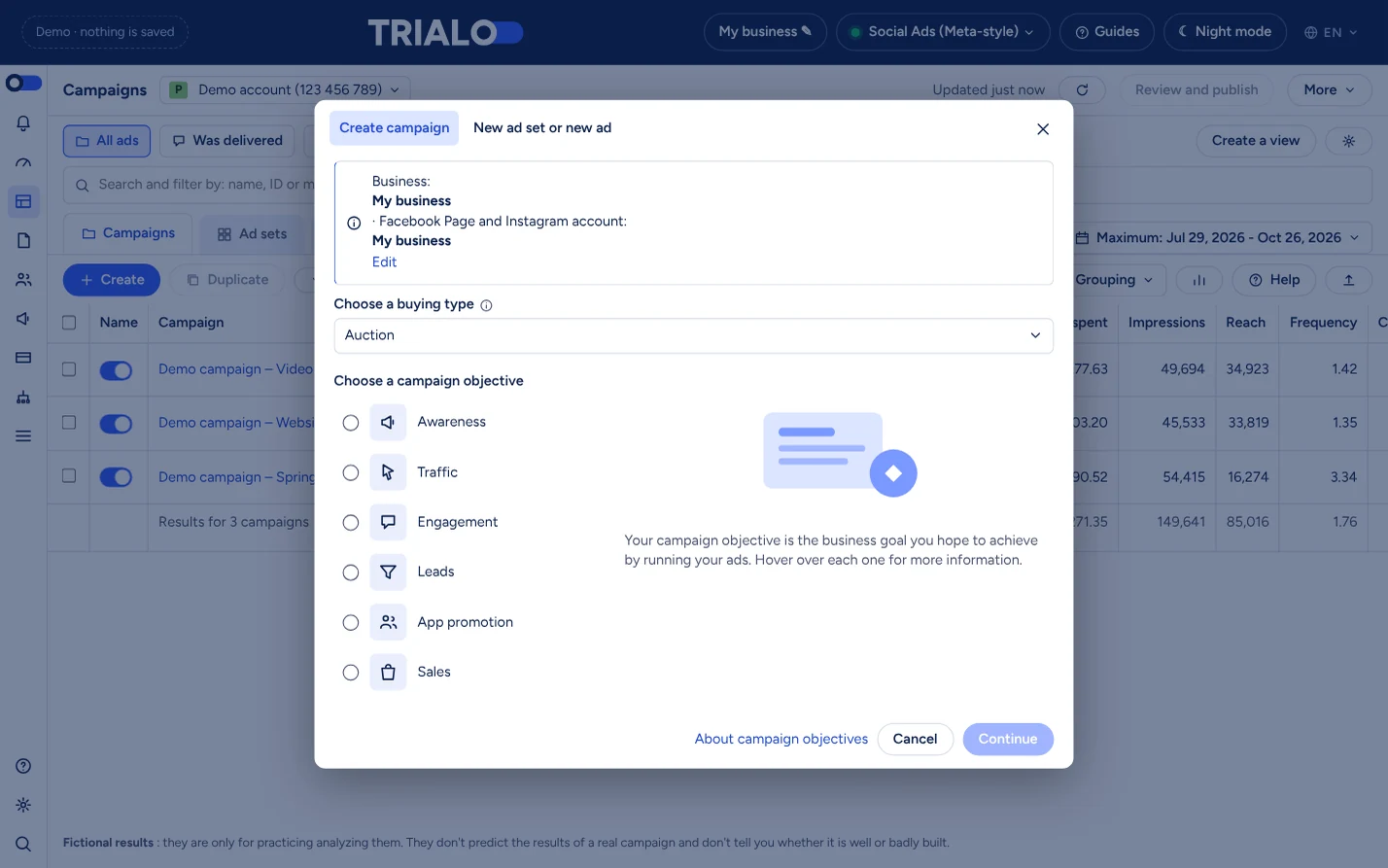
It starts with the objective, as on the real platform
Awareness, traffic, engagement, leads, app promotion, sales: the chosen objective shapes the settings that follow.
Teaching valueThey understand that a campaign starts from an objective, before targeting or creative are discussed.
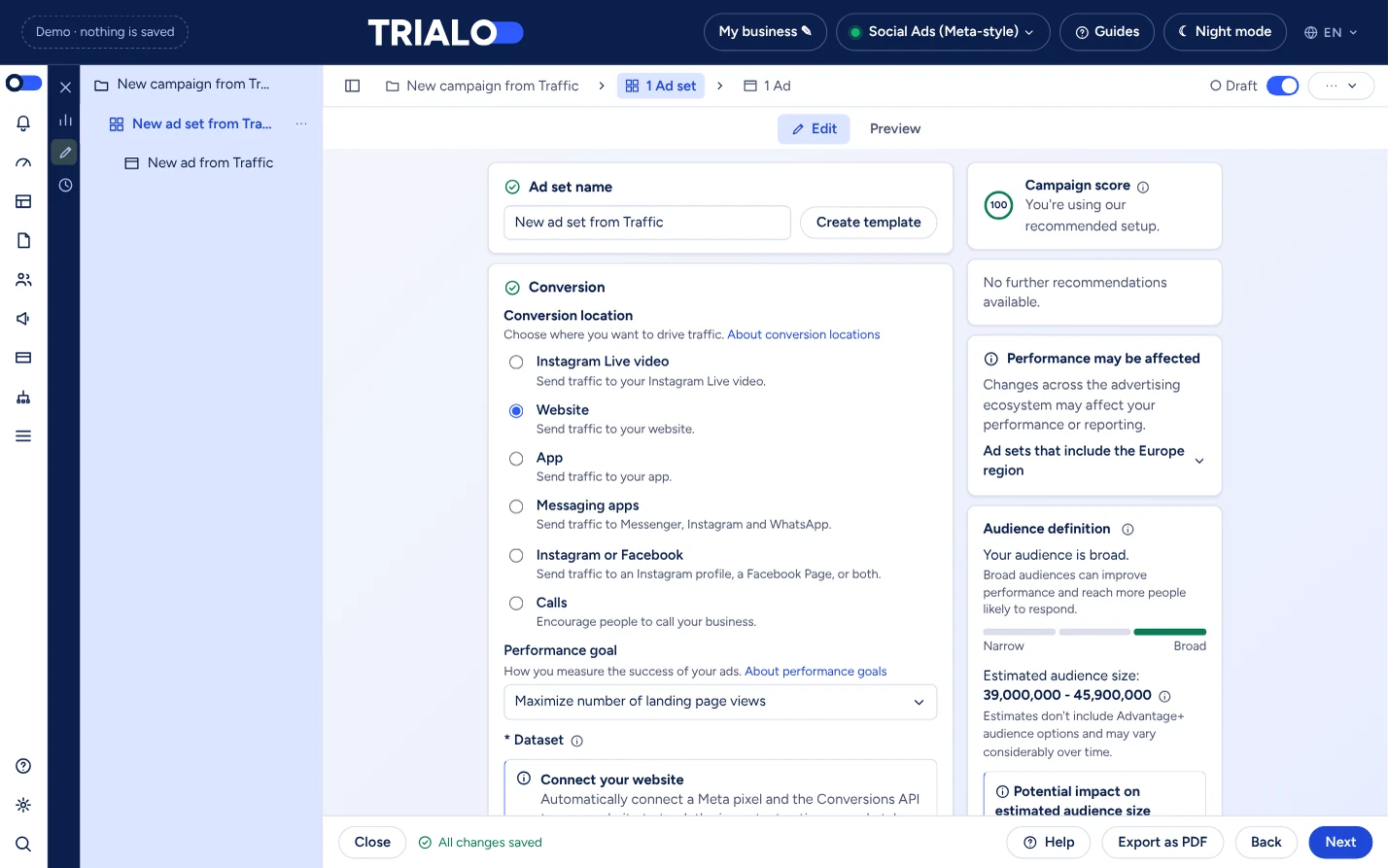
Conversion, audience, budget: the core of the job
Conversion location, performance goal, audience definition with its estimated size, then budget and schedule.
Teaching valueThey see how their targeting choices change the audience size and learn to weigh a broad audience against a precise one.
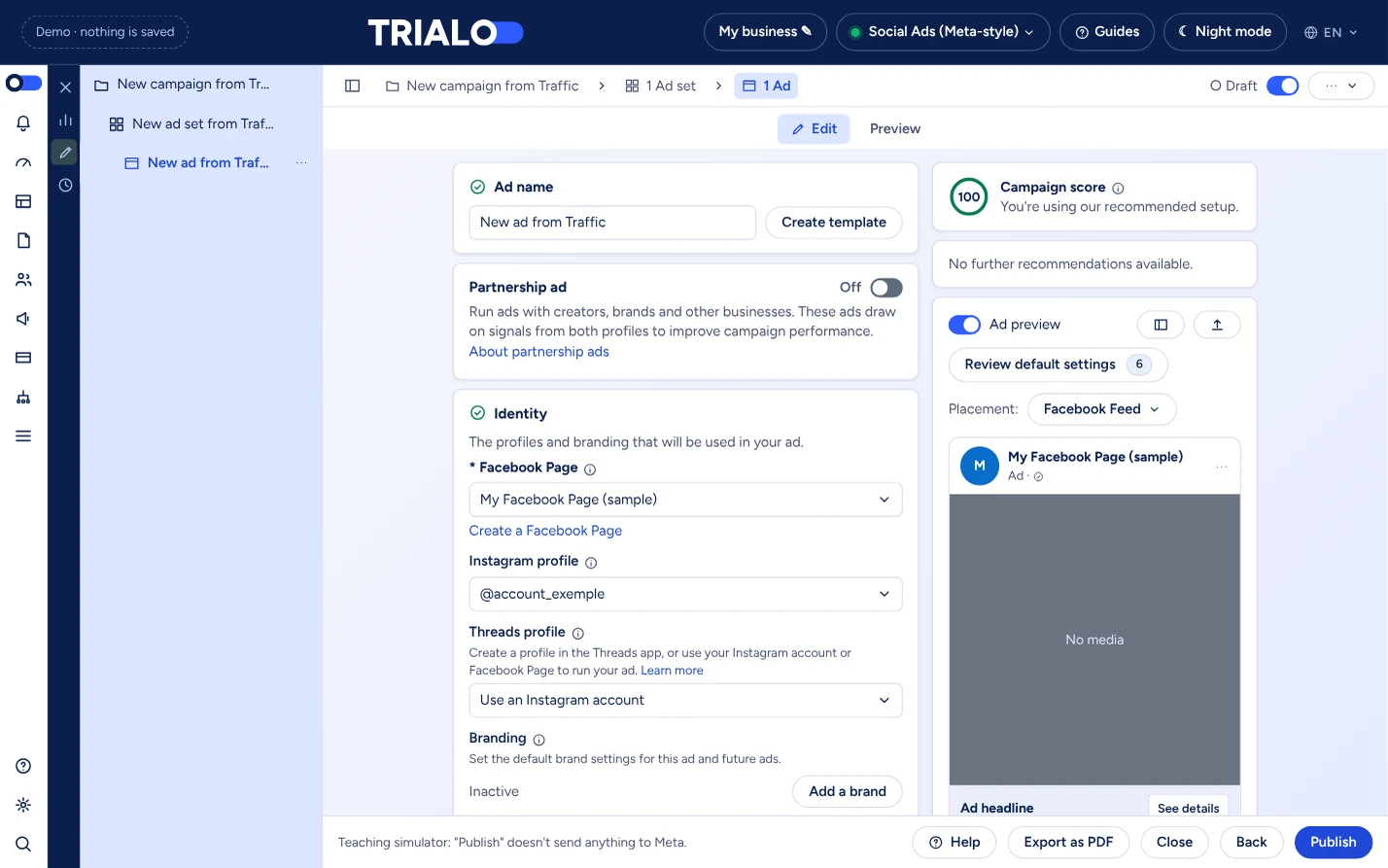
The ad and its preview before publishing
Identity, copy, visuals and an ad preview by placement. The “Publish” button sends nothing to Meta: everything stays fictional.
Teaching valueThey can test, get it wrong and start over without any ad going live.
Simulated results, to practice analysis. They are not forecasts of your real results and do not tell you whether a campaign is well or badly built: they are for learning to read metrics and propose optimizations.
For your courses
Why use it with your students
No spending
Campaigns are fictional: no payment card, no live delivery, no risk for the school.
A class ready with a simple code
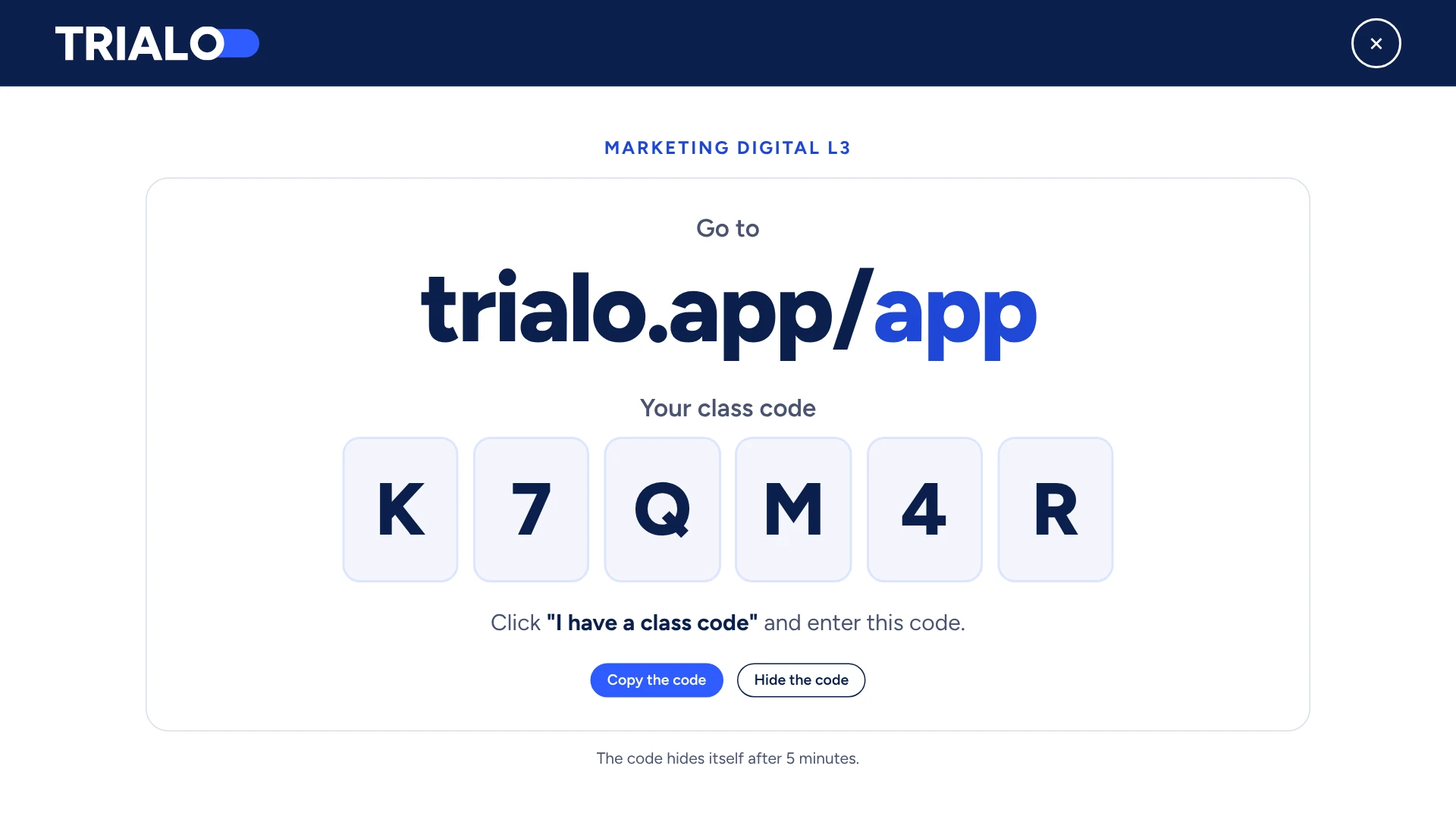
The teacher creates the class and shares a code. Each student enters it with their first and last name: nothing to install, no ad account to open.
Simulated results to read
Impressions, clicks, CPM, CTR, CPA, ROAS: figures based on published benchmarks, to analyze and compare.
Real-world settings, hands-on
Objectives, audiences, placements, budgets, ads: you work with the settings of a real campaign, with step-by-step guides for each platform.
In class or in training
One simple code
For a whole class
- The teacher creates their class.
- A unique code is generated.
- Students create their account in a few seconds.
Educational support
A guide to understand each principle
Summary guides accompany the simulator: creating a Business Manager account, an ad account, a pixel, retargeting audiences… They are being published gradually.
- Set up 6
- Measure 4
- Target 6
- Create 8
- Analyze 4
Get started now
Create your account and choose your subscription: access to the Social Ads (Meta-style) simulator is immediate, for your class or to practice on your own. For a school, ask for a quote.
TRIALO is an independent educational tool: it is not affiliated with, endorsed by or sponsored by Meta Platforms, Inc. Meta, Facebook and Instagram are trademarks of their respective owners, cited to designate the tool TRIALO draws inspiration from.